
Custom domain
Learn how to bring your own custom domain to Groov enabled product journeys/experiences
If you’re using the Groov-hosted journeys (instead of our embedded flows or our developer experience suite), you can add your own custom domain to Groov. Adding custom domains requires a bespoke enablement between Groov and you; will likely be a paid setup.
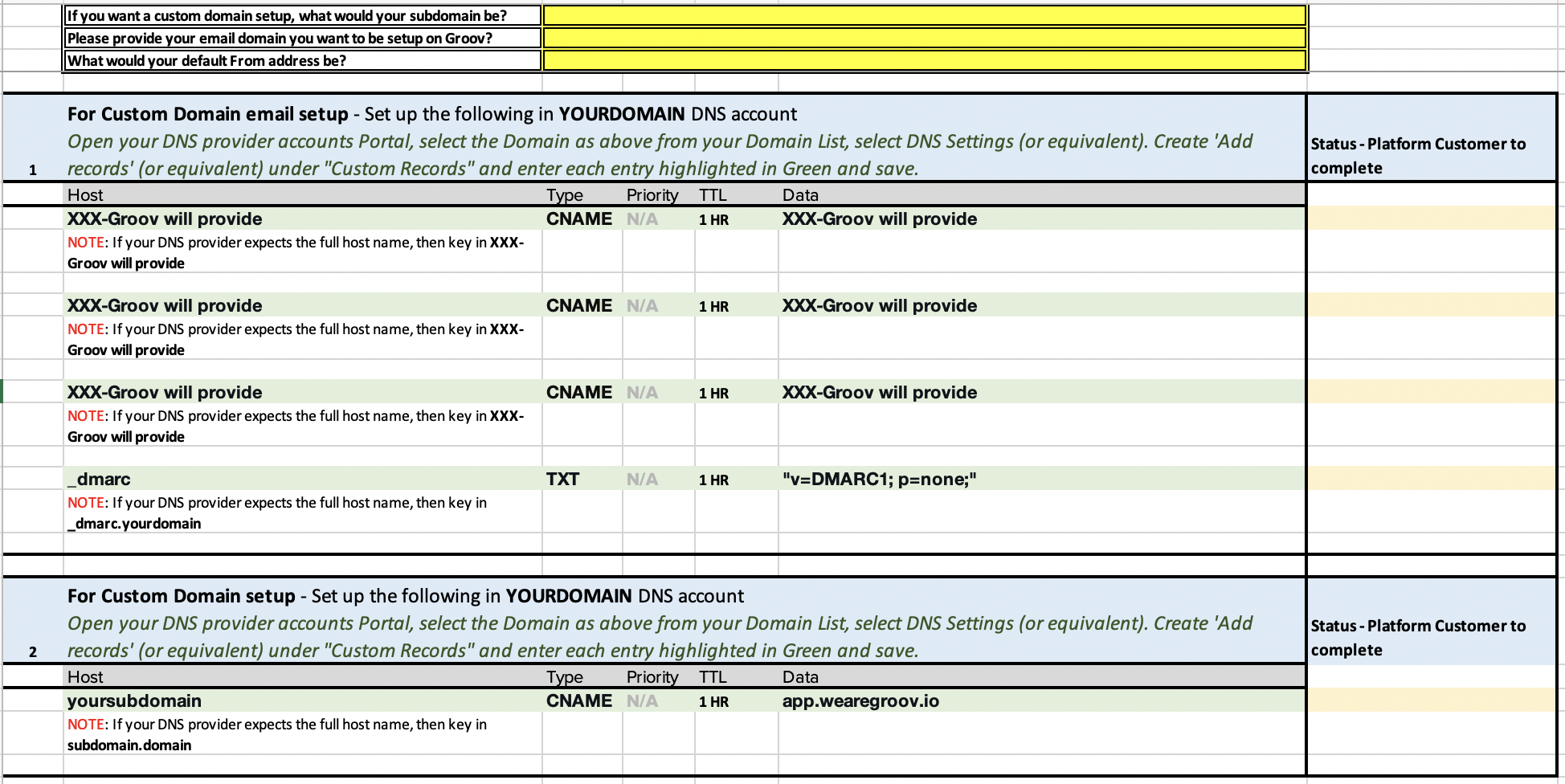
At a high level, the following would be required
1. Add your custom domain to the Groov Dashboard (or we will send you a form to provide us with your custom domain and custom email details)
2. Identify your DNS Provider
3. Create required DNS records
Groov team will provide the DNS details for you to configure at your end
Updated 9 months ago
What’s Next
Did this page help you?